
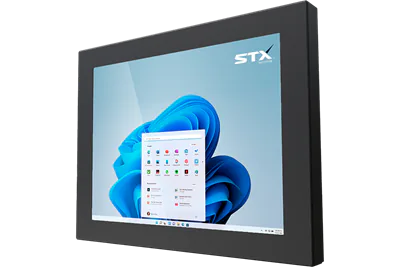
X7300 aluminium panel PC and touch monitor
A lightweight aluminium panel PC, touch monitor and KVM monitor from 8.4" to 27". Proven in warehouse management, production line status and inventory pick displays.
The standard choice is selected. Choose what you need.
Specifications
* A guide. The temperature a product runs at depends on how and where it is installed: processor load, airflow and clearance behind it, the cabinet or enclosure it sits in, sunlight and the air around it. One figure cannot cover every installation. Tell us about yours and we will confirm what suits it.
Standard on every X7300
- Aluminium enclosure
- Fanless
- VESA or panel mount
- 10–30 V DC power input
- 4 × USB 3.0, 2 × Ethernet 1000 Mbps
- HDMI, mini DisplayPort, audio out
- Network boot (PXE)
- TPM 2.0
Downloads
Where it is used
- Warehouse management, production line status, inventory pick status and similar work.
- Industrial grade parts in a lightweight aluminium housing.
- 4 × USB 3.0, 2 × Ethernet, HDMI and mini DisplayPort as standard.
- A built-in keyboard version in 15.6", 18.5", 21.5" and 24".
About the X7300
The X7300 is the X7200 in aluminium: a lightweight industrial touch panel PC with industrial-grade components, in brushed, matte black or a colour of choice. It is made from 8.4" to 27" with resistive or PCAP touch, fanless, on an Intel Generation 11 processor or ARM RK3588S with TPM 2.0, running Windows 11 IoT Enterprise LTSC, Linux or Android 13, with 4 × USB 3.0, 2 × Ethernet, HDMI and mini DisplayPort as standard.
The X7300 is proven in warehouse management, production line status displays and inventory pick stations, and wherever a touch computer is wanted on an arm, a wall or a machine without the weight of stainless steel. The 15.6", 18.5", 21.5" and 24" sizes take a built-in keyboard; the same enclosure is sold as a touch monitor or a KVM monitor up to 100 m from its computer. The 32", 43" and 55" sizes are on the X7300 large format page.
As a touch monitor or KVM monitor
The X7300 is also made with no computer inside. As a touch monitor it shows the picture from a computer or PLC nearby and sends the touch back to it. As a KVM monitor it takes video and touch from its computer up to 100 m away over one CAT6 cable, so the computer can stay in a dry, clean room.
Both use the same enclosure as the X7300 panel PC, in 8.4" to 27". Choose Touch monitor or KVM monitor under Type above to see the model codes and the video inputs, or compare every range on the touch screen monitors page.
Talk to our Australian team.
Tell us where it has to work and what it has to do, for a quick reply.
STX Technology worldwide
Talk to our Australian team, with STX Technology in New Zealand, Australia, the UK and North America.